Unknown Messenger
International Phone Number Format for WhatsApp
Write a number for WhatsApp as country code plus national number, without the leading trunk zero. Examples for the US, India, Mexico, Brazil and more.
Message any number on WhatsApp without saving it first
Free, with ads · 10K+ downloads
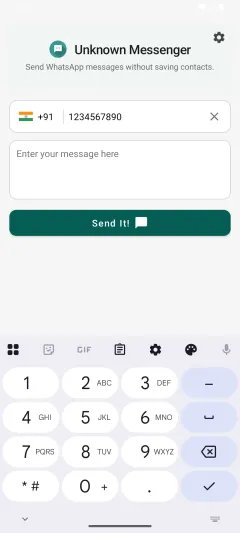
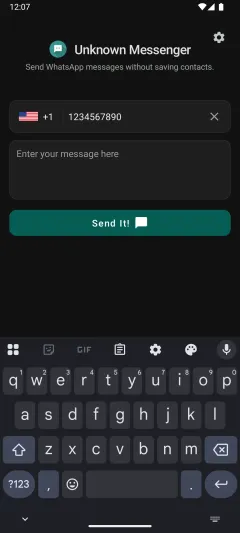
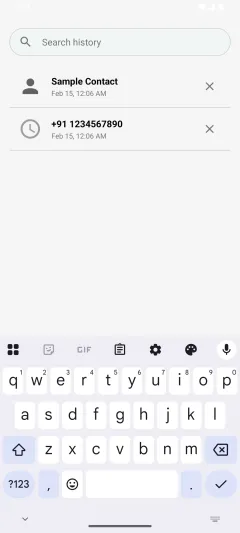
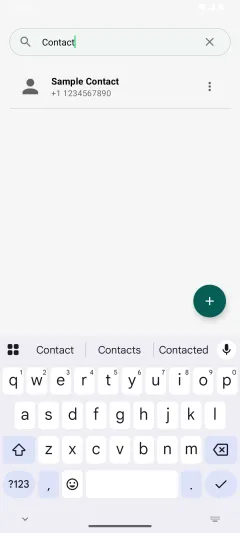
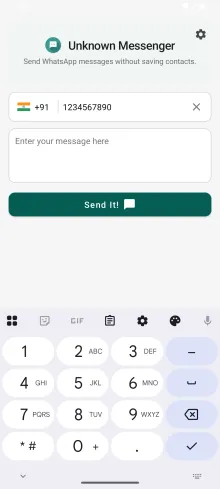
Need to message a delivery driver, a shop or someone you met once? Unknown Messenger opens a WhatsApp chat with any phone number, so you do not have to add a stranger to your contacts first.
Pick the country code, type the number, add a message if you like and tap Send It!. WhatsApp opens with the chat ready. You can also message yourself, which is a quick way to send notes and links to your own chat.
Numbers you used recently stay in a searchable history, and you can keep frequent numbers as contacts inside the app instead of your phone's address book. Both are stored only on your phone.
Features
Chat with any number without adding it to your address book.
Pick the country code from a list, then type the local number.
Send notes, links and reminders to your own WhatsApp chat.
Find a number you messaged earlier in a couple of taps.
Keep frequent numbers in the app, stored only on your phone.
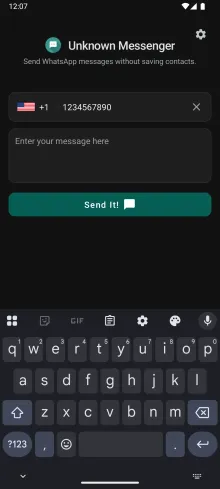
Comfortable to use day or night.
How it works
Choose the country code and type the phone number.
Write a message, or leave it empty.
Tap Send It! and the chat opens in WhatsApp.
FAQ
Open Unknown Messenger, choose the country code, enter the number and tap Send It!. WhatsApp opens a chat with that number, and nothing is added to your phone's contacts.
Yes. Choose the country in the code picker, then type the number without the country code.
Yes. Enter your own number to open a chat with yourself. It is a handy place for notes, links and files.
On your phone only. The history and in-app contacts live in a private database on the device and are not uploaded to any server. Uninstalling the app deletes them.
Yes. The app is free to download and is supported by ads.
No. It is an independent app by ProgrammerCat and is not affiliated with WhatsApp or Meta. It simply opens the chat in the WhatsApp app installed on your phone.
From the blog
Write a number for WhatsApp as country code plus national number, without the leading trunk zero. Examples for the US, India, Mexico, Brazil and more.
Open WhatsApp's built-in Message yourself chat in a few taps, pin it, and use it for notes, links, and files. Plus the wa.me link to your own number.
Four ways to message any number on WhatsApp without adding it to your contacts: the wa.me link, your own chat, the new-chat search, or a helper app.
Build a WhatsApp click-to-chat link with https://wa.me/ plus your full number, add a pre-filled message with ?text=, and avoid the country code mistakes.

Send a WhatsApp message to any phone number without saving it as a contact. Works with international numbers and keeps a handy history.
Get it on Google Play: Unknown Messenger (opens in a new tab)Unknown Messenger is an independent app and is not affiliated with, endorsed by, or sponsored by WhatsApp LLC or Meta Platforms, Inc.