Clean My Links
How to Remove Tracking Parameters From a URL
Delete the tracking junk after the ? in a link without breaking it: what to cut, what to keep, examples for Amazon, YouTube and Instagram, and a faster way.

Remove tracking junk from links before you share them
Free, with ads
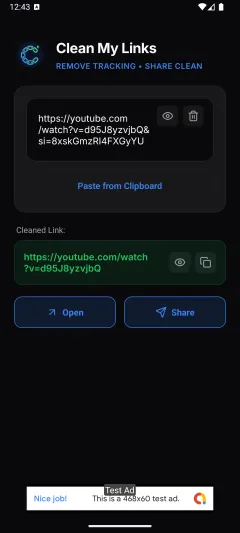
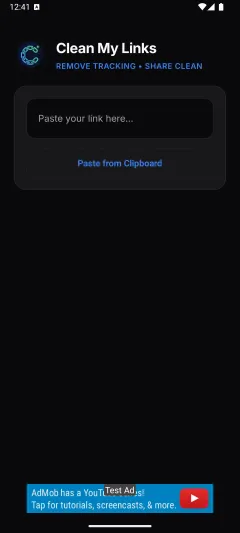
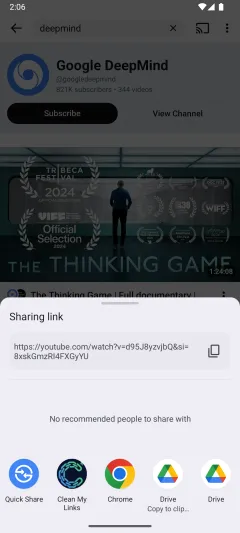
Links copied from shopping, social and video apps often carry extra tracking parameters such as utm_source, fbclid or igshid. They make links long and messy, and they tell the site where the link came from. Clean My Links removes them and keeps the part of the link that matters.
Share a link to Clean My Links from any app, or paste it in. The cleaned link appears right away, ready to copy, open or share. The app knows the tracking parameters used by Amazon, Instagram, TikTok, YouTube, Facebook and more than 500 other sites.
Cleaning happens 100% on your phone. Your links are not sent to a server to be cleaned.
Features
Strips utm_*, fbclid, igshid, si and similar parameters.
Rules for Amazon, Instagram, TikTok, YouTube, Facebook and many more.
Pick Clean My Links in any app's share menu.
Paste a link from the clipboard with one tap.
Links are processed on your phone, never on a server.
Use the clean link wherever you need it next.
How it works
In any app, tap Share on a link and choose Clean My Links. Or paste a link.
The app removes the tracking parameters on your phone.
Copy, open or share the clean link.
FAQ
Extra text added to the end of a link, such as ?utm_source=… or &fbclid=…. It does not change which page opens; it tells the site where the click came from and who shared it.
Share the link to Clean My Links, or paste it into the app. It shows the same link without the tracking parameters, ready to copy or share.
Yes. Clean My Links removes only the tracking parameters and keeps the address of the product, post or video.
Amazon, Instagram, TikTok, YouTube, Facebook and more than 500 other sites.
No. Links are cleaned 100% on your phone and are not sent to a server to be cleaned.
Yes. It is free to download and is supported by ads.
From the blog
Delete the tracking junk after the ? in a link without breaking it: what to cut, what to keep, examples for Amazon, YouTube and Instagram, and a faster way.
Delete si= from YouTube links, igsh= from Instagram and _r/_t from TikTok before you share. Keep v=, t= and list= so the video, time and playlist still work.
UTM tags, fbclid, igshid, gclid and si are tracking codes added to links. Learn what each one records, who adds it, and when a parameter must stay.
Cut any Amazon product link down to amazon.com/dp/ plus its 10-character ASIN. Learn what ref=, pd_rd_, tag=, th= and psc= do and which ones you can drop.

Strip utm_, fbclid, igshid and other tracking parameters from links from Amazon, Instagram, TikTok, YouTube and 500+ sites. All on your phone.
Get it on Google Play: Clean My Links (opens in a new tab)