StatusPocket
How to Repost Someone's WhatsApp Status
Ask first, then get the original file or save the cached status and post it to your own status. Here is each method, its quality, and the etiquette to follow.

Save status photos and videos before they expire
Free, with ads

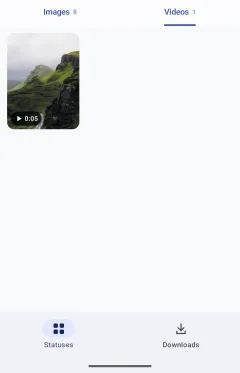



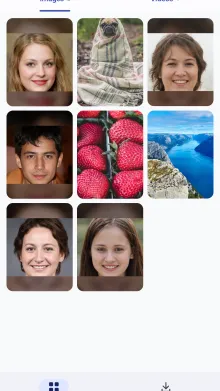
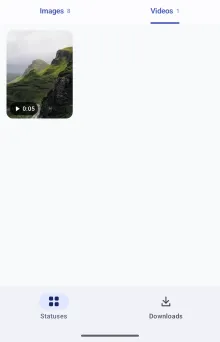
StatusPocket is a simple status saver. Browse the status photos and videos your messaging apps have already cached on your phone, preview them, and save the ones you want to keep before they expire.
Setup takes one permission: link your status folders through Android's own folder picker, and revoke it at any time. New statuses get a New badge, and a full-screen viewer lets you pinch to zoom, play videos and swipe down to close.
Your media stays private. StatusPocket does not upload your photos or videos or record which statuses you open. It works as a status saver for WhatsApp, WhatsApp Business and other messaging apps on Android.
Features
Cached image and video statuses in a clean grid.
Save a single status or select many at once.
See which statuses you have not opened yet.
Pinch to zoom, play videos, swipe down to close.
Grouped by day, with share, repost and delete.
Link your status folders with Android's folder picker.
Browsing, saving and sharing need no connection.
Dark, light or system theme.
How it works
Link your status folders once, through Android's folder picker.
View statuses in your messaging app as usual.
Open StatusPocket and save the photos and videos you want to keep.
FAQ
Install StatusPocket and link your status folders once with Android's folder picker. Statuses already on your phone appear in a grid; tap Save on a photo or video, or select several at once.
No. StatusPocket does not upload your media or record which statuses you open. It sends only usage counts and crash reports, which help fix bugs.
Yes. StatusPocket works as a status saver for WhatsApp, WhatsApp Business and other messaging apps on Android.
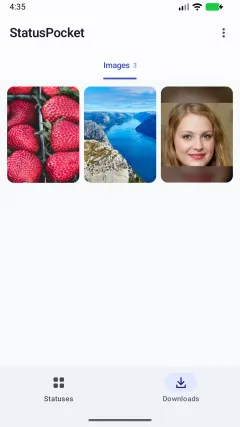
To the folder you choose. They also appear in the Saved tab, grouped by day, where you can share, repost or delete them.
Yes. Browsing, saving and sharing need no connection; only the banner ads do.
Yes. It is free and supported by ads from Google AdMob.
From the blog
Ask first, then get the original file or save the cached status and post it to your own status. Here is each method, its quality, and the etiquette to follow.
Statuses you view are already cached on your phone. Copy them from the hidden .Statuses folder, record the screen, or use a status saver before 24 hours.
WhatsApp caches viewed statuses in a hidden .Statuses folder under Android/media/com.whatsapp. Here is the full path, the Business path, and why it is hidden.

A status saver for Android: browse status photos and videos already on your phone, preview them and save the ones you want before they expire.
Get it on Google Play: StatusPocket (opens in a new tab)StatusPocket is an independent app and is not affiliated with, endorsed by, or sponsored by WhatsApp LLC or Meta Platforms, Inc. Status media belongs to its original creators; save and share only content you have permission to use.