Pustak Scan
How to Convert a Scanned PDF to Word on Android
A scanned PDF holds only pictures of text, so it needs OCR before Word can edit it. Three ways to do it on Android, and how to fix the errors OCR leaves.

Turn Hindi and English pages into editable text, offline
Free, no watermark · 1K+ downloads
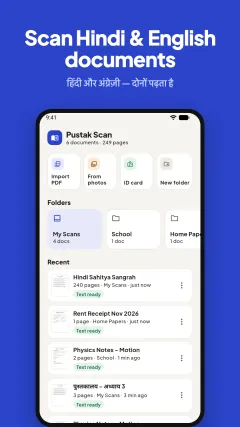
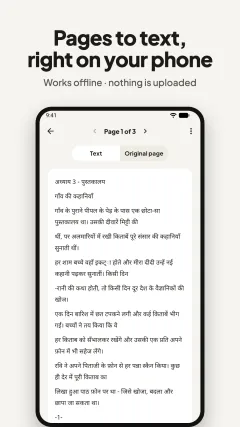
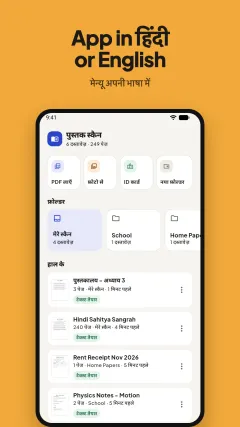
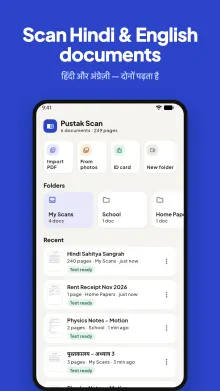
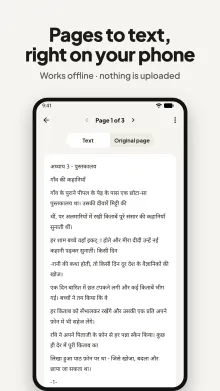
Pustak Scan turns paper into text you can search, edit and share, in Hindi and English. Text recognition runs on the phone itself, so it works offline and your documents never leave your phone.
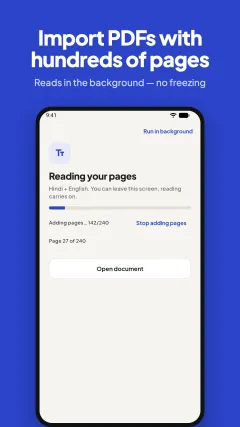
Scan up to 50 pages at once with automatic edge detection, crop and filters, or import photos from your gallery. PDFs with hundreds of pages can be imported too; they are processed in the background while you do something else.
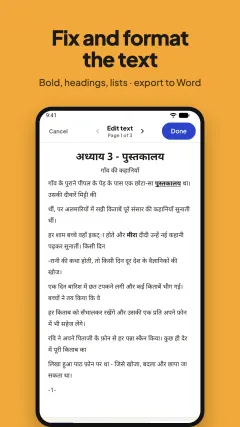
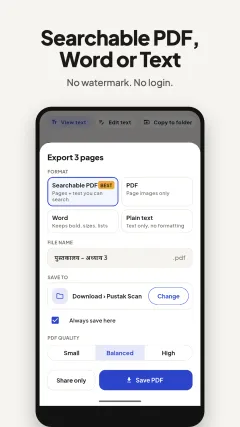
Fix and format the text with bold, italic, underline, headings, sizes, bullets and alignment, then export a searchable PDF, a regular PDF, a Word (.docx) file or plain text. There is no watermark and no login.
Features
Reads printed Hindi and English text and turns it into editable text.
Recognition runs on your phone. Documents never leave it.
Up to 50 pages at once, with edge detection, crop and filters.
Multi-hundred-page PDFs and gallery photos, processed in the background.
Bold, italic, underline, headings, size, bullets, alignment, undo and redo.
Searchable PDF, PDF, Word (.docx) or plain text. PDF quality Small, Balanced or High.
Front and back of a card on one A4 page, at real size.
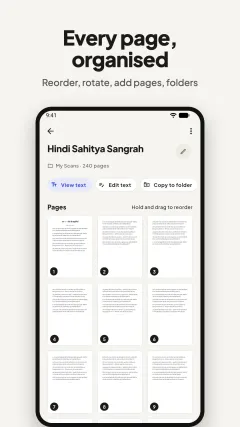
Folders in My Scans; reorder, rotate and delete pages. Menus in Hindi or English.
How it works
Scan pages with the camera, or import photos or a PDF.
Pustak Scan reads the Hindi and English text on your phone.
Edit the text, then export a searchable PDF, Word file or plain text.
FAQ
Yes. Pustak Scan recognises printed Hindi and English text in camera scans, gallery photos and PDFs, and turns it into text you can edit, copy and share.
Yes. Text recognition runs on the phone itself, so it works offline and your documents never leave your phone.
A PDF that keeps the original page images and adds an invisible text layer. The page looks exactly like the paper, but you can search, select and copy the text.
Yes. Import the PDF, even one with hundreds of pages. Pustak Scan reads it in the background, and you can then export the text as a Word (.docx) file.
Yes. ID card mode puts the front and back on one A4 page at real size, ready to print or share.
No. Exports have no watermark and there is no login. The app does not ask for contacts or location permissions.
From the blog
A scanned PDF holds only pictures of text, so it needs OCR before Word can edit it. Three ways to do it on Android, and how to fix the errors OCR leaves.
Turn a photo or scanned page of Hindi into editable text with Google Lens, Google Docs, or an offline phone scanner, plus tips for clean, accurate results.
Get sharp, readable phone scans: even light, a dark background, a straight angle, flat pages, the right filter and size, page order, and PDF or JPG.
Put the front and back of an ID card on one A4 or Letter page at real card size, ready to print or upload, with tips on glare, file size and privacy.
A searchable PDF is a scan with a hidden text layer, so you can search, select and copy its words. Here is how to make one on an Android phone, step by step.

Scan Hindi and English pages into text you can search, edit and share. Offline OCR on your phone. Export searchable PDF, Word or plain text.
Get it on Google Play: Pustak Scan (opens in a new tab)